
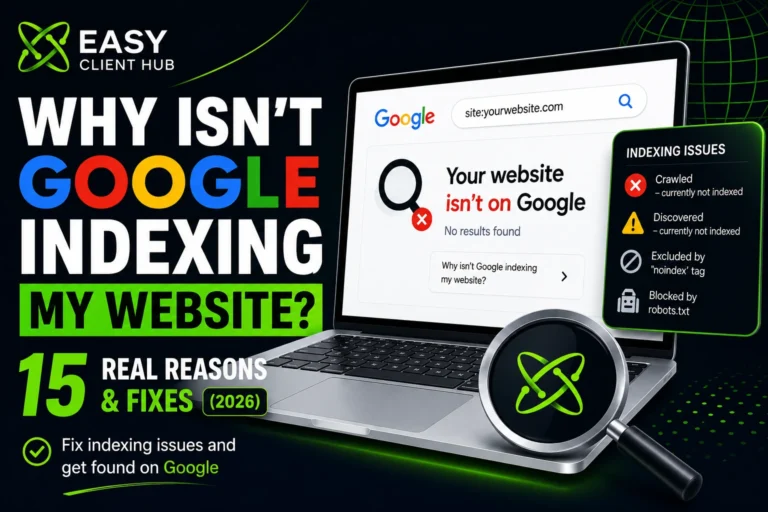
You published your site. You checked Google. Nothing. Not even your homepage shows up when you search your own brand name. If you’re typing “why is Google not indexing my website” into the search bar right now, you’re in the right place.
If that’s you right now don’t panic. This is one of the most common problems website owners run into, and in almost every case, it’s fixable without hiring a developer.
At Easy Client Hub, we’ve diagnosed this exact issue on dozens of client sites in 2026. In this guide, we’ll walk through every real reason Google isn’t indexing your website from simple settings mistakes to deeper authority and quality issues and exactly how to fix each one.
Indexing Problems by the Numbers
This isn’t a rare, niche issue it’s one of the most widespread technical SEO problems in 2026:
- Sites with unresolved crawl budget issues can have 30–50% of their important pages sitting unindexed
- 95%+ of websites have some form of redirect issue, and every extra hop in a redirect chain quietly wastes crawl budget
- Google’s crawlers processed roughly 96% more pages in 2025 than in 2024 but that doesn’t mean every page gets indexed; Google is more selective about quality than ever
- A huge share of indexed pages still get zero organic traffic, which is a reminder that being indexed and actually ranking are two different battles (more on that below)
The takeaway: if your site isn’t indexed, you’re far from alone and the fix is almost always identifiable once you know where to look.
Indexing vs. Ranking: What’s the Difference?
People often use these two words interchangeably, but they’re different stages entirely and mixing them up leads to the wrong fix.
| Indexing | Ranking | |
|---|---|---|
| What it means | Google has stored your page in its database | Where your page appears in search results for a query |
| Can happen without the other? | Yes, a page can be indexed and still never rank for anything | No, a page can never rank without first being indexed |
| What controls it | Crawlability, technical setup, content quality threshold | Relevance, backlinks, on-page optimization, user engagement |
| How to check | URL Inspection Tool in Google Search Console | Search your target keyword, or use Search Console’s Performance report |
| Common problem | Website not appearing on Google at all | Page is indexed but not ranking on page 1 |
If Search Console shows your page is indexed but not ranking, this article isn’t your fix indexing isn’t your problem, competitiveness and on-page SEO are. In that case, our SEO audit checklist is the better next step.
If your page shows any status other than “URL is on Google,” keep reading that’s a true indexing problem, and that’s what this guide solves.
Why trust this guide: Everything below comes from hands-on troubleshooting inside real Google Search Console accounts at Easy Client Hub not just theory. We’ve pulled indexed pages out of “Crawled currently not indexed” limbo, fixed accidental noindex tags on live client sites, and rebuilt crawl paths for sites that Google had all but stopped visiting. Where a fix is site-specific (like crawl budget on large e-commerce catalogs), we’ve flagged that clearly so you don’t apply it where it doesn’t belong.
Why Is Google Not Indexing Websites in General? Quick Answer
In most cases, your website isn’t indexed because of one of three things:
- A technical block — a noindex tag, robots.txt rule, or canonical issue is telling Google not to index the page
- Google hasn’t crawled it yet — new sites, no sitemap, or no internal/external links pointing to the page
- Google crawled it but judged it not valuable enough — thin content, duplicate content, or low site authority
The fastest way to know which one applies to you is the URL Inspection Tool inside Google Search Console. We’ll show you exactly how to use it below.
Step 1: Check Your Google Search Console Indexing Status First
Before trying any fix, find out what’s actually happening. Search Console is where you’ll see exactly how Google discovers pages on your site, and whether it’s chosen to index them.
- Open Google Search Console (free set it up if you haven’t already)
- Paste your homepage URL into the URL Inspection Tool at the top
- Look at the result. It will say one of these:
| Status Shown | What It Means |
|---|---|
| URL is on Google | Page is indexed if it’s still not showing up in search, that’s a ranking issue, not an indexing issue |
| Discovered — currently not indexed | Google knows the URL exists but hasn’t crawled it yet |
| Crawled — currently not indexed | Google crawled the page and chose not to index it (usually a quality signal) |
| Excluded by ‘noindex’ tag | A noindex tag is deliberately blocking this page |
| Blocked by robots.txt | Your robots.txt file is stopping Google from crawling it |
| Alternate page with proper canonical tag | Google indexed a different version of this page instead |
| Page with redirect | The URL redirects elsewhere, so this exact URL won’t be indexed |
| Not found (404) | The page doesn’t exist at this URL |
If your issue is specifically “Crawled — currently not indexed,” we cover that status in much more depth in our dedicated guide on fixing crawled but not indexed pages this article gives you the full picture across every status, that one goes deep on this specific one.
Now let’s go through every real cause of why Google is not indexing your website.
15 Real Reasons Why Google Is Not Indexing Your Website
1. Your Site Is Brand New
If your site went live in the last few days or weeks, Google simply hasn’t found it yet. This is normal, not a problem every new site has to be discovered before it can be crawled.
Fix: The fastest way to submit your website to Google is through your XML sitemap in Search Console. You can also request indexing on Google manually for your most important pages, one at a time, through the URL Inspection Tool.
2. A “noindex” Tag Is Blocking the Page
This is one of the most common and most embarrassing causes. A single checkbox or meta tag can hide your entire site from Google.
Fix (WordPress):
- Go to Settings > Reading and make sure “Discourage search engines from indexing this site” is unchecked
- In Yoast SEO or RankMath, open the page/post editor, check the Advanced tab, and confirm “Allow search engines to show this in search results” is set to Yes
If your WordPress setup has multiple SEO plugins conflicting with each other or messy custom settings from a previous developer, our WordPress development team can clean this up properly rather than you guessing at settings.
3. Robots.txt Is Blocking Crawlers
If Google isn’t crawling your website at all not just skipping indexing, but never even visiting your robots.txt file is the first place to look. It might be telling Googlebot not to crawl entire sections, or your whole site.
Fix: Visit yourdomain.com/robots.txt and check for a line like Disallow: /. If your important pages are listed there, remove that rule.
4. No XML Sitemap Submitted
Without a sitemap, Google has to find your pages by following links, which takes much longer.
Fix: Generate a sitemap (Yoast, RankMath, and most SEO plugins do this automatically at /sitemap_index.xml) and submit it under Sitemaps in Search Console.
5. Orphan Pages (Zero Internal Links)
If no other page on your site links to a page, Google treats it as low priority sometimes it never finds it at all.
Fix: Add 2–3 internal links to every new page from existing, already-indexed pages. Link from topically related content, not just your homepage.
6. Thin or Low-Value Content
Pages under 300–500 words that don’t say anything unique are a major reason Google skips indexing in 2026. Google is far more selective now than it was a few years ago.
Fix: Expand the content to genuinely help the reader aim for depth, not just word count. Add real examples, data, or experience that competing pages don’t have.
7. Duplicate or Near-Duplicate Content
If two pages on your site cover the same topic, or your content closely resembles pages elsewhere on the web, Google will often index only one version or none.
Fix: Use canonical tags to specify the primary version, or merge overlapping pages into one comprehensive post.
8. Unedited AI-Generated Content
Google doesn’t penalize AI assistance, but generic, unedited AI output that reads like everything else online rarely gets indexed.
Fix: Always edit AI drafts heavily. Add original insight, real screenshots, and first-hand experience. This is the E-E-A-T principle Google evaluates Experience, Expertise, Authoritativeness, Trustworthiness.
9. Canonical Tag Pointing Elsewhere
If your page’s canonical tag points to a different URL, you’re telling Google “index that one instead, not this one.”
Fix: Check your page source for <link rel="canonical"> and make sure it points to the correct, self-referencing URL unless you’re intentionally consolidating pages.
10. Weak Site-Wide Authority
New sites with few or no backlinks often sit in “crawled but not indexed” limbo simply because Google has low confidence in the domain overall.
Fix: Build backlinks from real, relevant websites guest posts, business directories, and niche platforms all help. This is a slower fix, but it’s the one with the biggest long-term payoff. Our free list of 75+ high-quality backlink sites is a good starting point if you want to do this yourself.
11. Slow Site Speed or Crawl Budget Issues
This is one of the most overlooked causes of Google indexing issues on larger sites. If your pages load slowly, or your site has thousands of low-value URLs (filters, tags, pagination), Googlebot may not get around to crawling everything and unindexed pages pile up.
Fix: Improve page speed, and noindex or consolidate low-value URL types that are eating your crawl budget. For a broader technical health check, our SEO trends 2026 guide covers how crawl efficiency fits into the bigger AI-search picture.
12. Server Errors or Downtime During Crawl
If Googlebot tries to visit your site while it’s down or returning 5xx errors, it may back off and try again later delaying indexing.
Fix: Check the Crawl Stats report in Search Console for spikes in server errors, and fix hosting/uptime issues.
13. Redirect Chains or Loops
A page that redirects through multiple hops (or loops back on itself) confuses crawlers and can prevent indexing entirely.
Fix: Audit your redirects and make sure each one goes directly to its final destination in a single hop.
14. Manual Action or Penalty
In rare cases, Google may have manually removed part or all of your site from the index for violating its guidelines (spam, cloaking, etc.).
Fix: Check the Manual Actions report in Search Console. If something’s listed, fix the issue and submit a reconsideration request.
15. Content Doesn’t Match Search Intent
Even indexed pages can effectively “disappear” if they don’t match what searchers actually want Google deprioritizes pages with high bounce-back rates.
Fix: Study the top-ranking pages for your target keyword before writing. Match the format (guide, list, comparison) and depth that’s already working, then go further.
How Long Does It Take Google to Index a Website After Fixing These Issues?
Based on what we typically see across client sites:
- Established sites, new pages: 3–7 days
- Newer sites (under 6 months old): 2–4 weeks
- Sites that were stuck long-term: 4–8 weeks after real improvements
Backlinks pointing to the specific page and a healthy overall site authority both speed this up. For a full breakdown of realistic SEO timelines beyond just indexing, see our guide on how long SEO actually takes to show results.
Prevention Checklist: Avoid This Next Time
Run through this before publishing any new page:
- [ ] Content is genuinely useful and detailed not just long for the sake of it
- [ ] No accidental noindex tag or “discourage search engines” setting enabled
- [ ] robots.txt isn’t blocking the page
- [ ] Canonical tag points to the correct URL
- [ ] At least 2–3 internal links from existing indexed pages
- [ ] XML sitemap is updated and submitted in Search Console
- [ ] Schema markup added (Article or BlogPosting)
- [ ] Page loads fast and returns a clean 200 status
Related Guides
- How to Fix “Crawled But Not Indexed” in Google Search Console
- 75+ Free High-Quality Backlink Sites List (2026)
- SEO Trends 2026: What US Businesses Need to Rank in the AI Search Era
- How Much Does SEO Cost for Small Business in 2026?
Conclusion
If you’ve been asking why Google is not indexing your website, the honest answer is: it’s almost never a permanent problem. It’s a signal pointing to something specific a technical block, a discovery gap, or a quality bar you haven’t cleared yet. Work through the checks above in order, starting with Search Console, and most sites resolve this within a few weeks.
Every day your pages stay unindexed is a day of zero organic visibility no traffic, no leads, no rankings, regardless of how good the content is. If you’ve gone through this checklist and you’re still not seeing movement, don’t keep guessing. Get a free SEO audit and we’ll pinpoint exactly what’s blocking your site inside Search Console, usually within 24–48 hours. Prefer to have it handled end-to-end? Our SEO services team fixes indexing issues, rebuilds crawl paths, and gets sites back on track no long contracts, no guesswork.
Frequently Asked Questions
Why is my website not showing up on Google even after a week?
For a brand-new site, a week is often still normal. Submit your sitemap and request indexing manually through Search Console. If it’s been several weeks with no movement, check for a noindex tag or robots.txt block first those are the most common culprits.
Can I force Google to index my website?
Not exactly. You can request indexing through the URL Inspection Tool, but Google makes the final call based on content quality, technical health, and site authority. Requesting indexing repeatedly on a low-quality page won’t help.
Does a new website automatically get indexed?
No. Google has to discover your site first, usually through a sitemap submission, an external backlink, or Search Console verification. Nothing happens automatically the moment you launch.
Why does Google index some of my pages but not others?
This usually means Google’s quality bar is being met on some pages but not others often due to thin content, duplicate topics, or those specific pages having no internal links pointing to them.
Is not being indexed the same as being penalized?
No. Lack of indexing is far more often a quality, technical, or crawl-priority issue than a manual penalty. Manual penalties are rare and always show up under the Manual Actions report in Search Console.
How do I know which pages on my site aren’t indexed?
In Search Console, go to Indexing > Pages and scroll to “Why pages aren’t indexed.” Each row shows a status and a list of affected URLs.
About the Author
Aoon Muhammad is an SEO specialist and WordPress developer, and co-founder of Easy Client Hub. He works hands-on with client Google Search Console accounts every week diagnosing indexing issues, fixing technical SEO problems, and rebuilding content strategies for sites across the US and Pakistan markets. His guides are based on real troubleshooting sessions, not recycled theory, and are updated as Google’s indexing behavior changes.
Published by Easy Client Hub — Digital Marketing Agency helping businesses grow through SEO, content marketing, and web development.