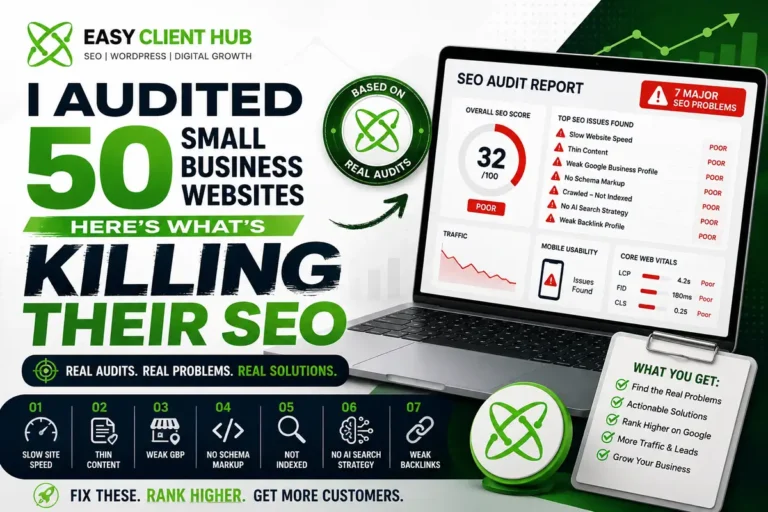
Over the last few months, we ran full SEO audits on 50 small business websites different industries, different platforms, different budgets. Some had been live for years. Others were brand new.
And almost every single one had the same handful of problems.
Not exotic, complicated issues either. Basic, fixable things that were quietly costing them traffic, leads, and money sometimes for years without the owner ever knowing. If you’ve ever wondered why your website isn’t ranking on Google even though you “did everything right,” there’s a good chance one (or several) of these mistakes is the reason.
Here’s exactly what we found, in order of how often we saw it.
1. Their Website Is Too Slow — Especially on Mobile
This was, by far, the most common issue. Out of the 50 sites we checked, the majority failed Google’s Core Web Vitals on mobile devices. Average mobile load time across the sample was well above the 2.5-second benchmark Google actually rewards some sites took 6-8 seconds just to become usable.
That matters more than most business owners realize. More than 60% of all web traffic today comes through mobile, and Google ranks mobile performance first, not desktop. A slow mobile site doesn’t just frustrate visitors over half of mobile users abandon a page that takes more than 3 seconds to load. They never even see your content.
The fix:
- Compress and resize every image before uploading (WebP format, not raw PNG/JPG)
- Remove unused plugins and heavy page builder elements
- Use a proper caching plugin and a lightweight, well-coded theme
- Test with Google’s PageSpeed Insights and fix whatever it flags in red
If your site runs on WordPress, this is usually a technical cleanup job, not a redesign. We cover this in more depth in our technical SEO guide for growing businesses, and if you want it done for you, our WordPress development team handles this kind of cleanup regularly.
2. Thin, Generic Content With No Real Keyword Strategy
The second biggest issue: content that was written for the business owner, not for the person searching. Pages with 200-300 words. Service pages that never once mentioned what a customer would actually type into Google. Blog posts published with no research behind them at all.
Google (and increasingly, AI search tools) can’t rank what they can’t understand. If your page doesn’t clearly answer a real search query, it has almost no chance of showing up no matter how nice it looks.
The fix:
- Every important page should be built around one clear, specific keyword not a vague topic
- Aim for genuinely useful depth (800+ words for blog content, more for competitive topics)
- Answer the actual question the searcher has, in the first few lines
- Stop guessing start with real keyword research before you write a single word
We put together a full breakdown of practical, no-fluff SEO tips for small businesses if you want to fix this page by page.
3. No Google Business Profile — Or a Half-Finished One
This one surprised us the most, given how easy it is to fix. A large share of the businesses we audited either had no Google Business Profile at all, or had claimed it years ago and never touched it since no photos, no updated hours, no posts, barely any reviews.
That’s a massive missed opportunity. Businesses with a complete, active Google Business Profile get significantly more location visits than those with an incomplete one, and ranking in the local 3-pack alone can bring in over twice the traffic of a normal listing. If you’re a local or service-area business and your GBP isn’t dialed in, you’re handing customers straight to competitors.
The fix:
- Claim and fully verify your profile if you haven’t already
- Fill out every field categories, service areas, hours, description
- Add real photos regularly, not just once at setup
- Actively ask happy customers for reviews, and reply to every single one
We built a step-by-step Google Business Profile optimization checklist that walks through this exact process, and a broader look at what local SEO actually involves if you’re just getting started.
4. Zero Schema Markup on the Website
Schema markup is the invisible code that tells Google (and now AI tools like ChatGPT and Gemini) exactly what your business is, what you sell, and where you’re located. Most of the sites we audited had none at all no BlogPosting schema, no LocalBusiness schema, nothing.
Without it, search engines are left guessing. With it, they get a clean, structured answer they can trust and structured data increasingly feeds directly into AI Overviews and AI answer engines, not just traditional search results.
The fix:
- Add LocalBusiness schema to your homepage/contact page
- Add BlogPosting + FAQPage schema to your blog content
- Validate everything with Google’s Rich Results Test before publishing
If schema still feels confusing, our complete schema markup guide breaks it down in plain English.
5. Pages That Are Crawled but Never Indexed
A smaller but very frustrating group of sites had pages Google had actually crawled but never indexed, meaning they’ll never show up in search results no matter how good the content is. Usually the cause was a stray “noindex” tag left on from development, orphan pages with no internal links pointing to them, or a bloated sitemap confusing Google about what actually matters.
The fix:
- Check Google Search Console’s Coverage report monthly, not once a year
- Make sure every important page has at least one internal link pointing to it
- Submit a clean, updated sitemap and request indexing manually for new pages
If this sounds like your site, our guide on fixing crawled-but-not-indexed pages and our deeper piece on why Google isn’t indexing your website both walk through the exact diagnostic steps we use.
6. Nothing Built for AI Search (Zero-Click Is the New Normal)
This is the shift most small business owners haven’t caught up to yet. A huge share of Google searches today end without a single click the answer is resolved right on the search page through an AI Overview. That sounds bad for SEO, but here’s the nuance: businesses that get cited inside those AI answers actually see noticeably higher click-through rates than those that don’t. Being invisible to AI search is now just as costly as being invisible to traditional search.
None of the 50 sites we audited had made any real effort to optimize for this.
The fix:
- Structure content with clear headings that directly answer questions
- Add a genuine FAQ section to key pages (with FAQPage schema)
- Focus on clear, well-sourced, factual answers this is exactly what AI systems pull from
- Think in terms of GEO (Generative Engine Optimization), not just traditional SEO
We go deeper into this in what AI SEO and LLMO actually mean and how to rank inside Google’s AI Overviews.
7. Weak or Nonexistent Backlink Profile
Finally, almost every site we looked at had few to no backlinks pointing to it no mentions from other websites vouching for their credibility. Backlinks are still one of the strongest ranking signals Google uses, and sites with none of them almost always struggle to compete, even with decent on-page SEO.
The fix:
- Start with free, legitimate options: business directories, guest posts, partner sites
- Prioritize relevant, real websites over quantity
- Be consistent a few quality backlinks a month beats a one-time burst
Our guide on how backlinks actually improve your Google rankings and our free backlink building methods post are both good starting points.
So Why Isn’t Your Website Ranking?
If you read through this list and recognized two or three of these problems on your own site, you’re not alone this is basically what we find on every audit. SEO rarely fails because of one big mistake. It fails because of five or six small ones stacking up quietly over time.
The good news: every single issue on this list is fixable, usually without a full redesign.
If you want to know exactly which of these mistakes your website has not guesses, an actual audit — our team offers a free SEO audit that checks all of this and more. You can also explore our full SEO services or get in touch if you’d rather just talk it through.
Frequently Asked Questions
Why isn’t my website ranking on Google even though I have good content?
Good content alone isn’t enough if the technical foundation is broken. Slow load times, missing schema markup, poor keyword targeting, or pages that were crawled but never indexed can all keep otherwise strong content from ranking. Start with a technical audit before assuming the content itself is the problem.
How do I know if my website needs an SEO audit?
Common warning signs include steadily declining traffic, high impressions but very few clicks in Google Search Console, no ranking movement despite regular content updates, or a Google Business Profile that gets little to no activity. If any of these sound familiar, an audit will usually reveal the exact cause within a day.
What is the single biggest SEO mistake small businesses make?
Based on this audit, slow mobile page speed was the most common issue by a wide margin, followed closely by thin content built without real keyword research. Both are fixable without redesigning the entire site.
How long does it take to fix these SEO mistakes?
Technical fixes like page speed and schema markup can often be resolved within days. Content and backlink issues take longer typically 2 to 4 months of consistent work before ranking improvements become clearly visible in Google Search Console.
Do small businesses really need schema markup?
Yes. Roughly 60% of websites still don’t use any structured data at all, which makes it a genuine competitive advantage for the businesses that do especially now that schema data feeds directly into AI Overviews and AI search tools, not just traditional search results.